Every business needs to keep track of money.
How much came in? How much went out? Who still needs to pay you? How much do you owe your suppliers? What is your profit this month?
When a business is small, a notebook or Excel sheet may seem enough. But as invoices increase, customers increase and GST becomes part of everyday work, things can quickly become difficult to manage.
That is where accounting software comes in.
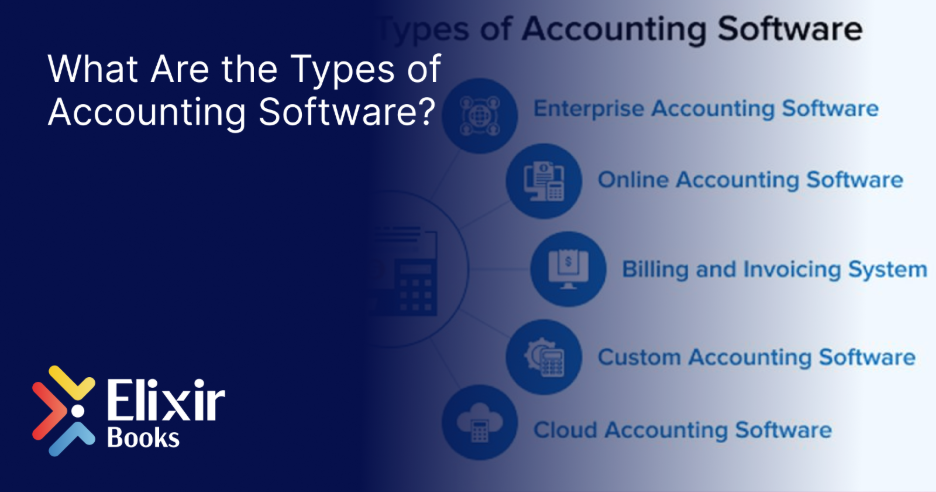
But not every accounting software works the same way. Some are built for very small businesses. Some focus mainly on billing. Others connect accounting with inventory, GST, banking and reporting.
So, what are the different types of accounting software, and which one is right for your business?
Let’s keep it simple.
What is Accounting Software?
Accounting software is a tool that helps businesses record, organise and manage their financial transactions.
Instead of manually maintaining every sale, purchase, payment and expense, accounting software helps keep these records in one place.
Depending on the software you choose, it can help with:
- Sales and invoicing
- Purchase records
- Expenses
- Customer and supplier accounts
- Accounts receivable and payable
- Bank reconciliation
- GST
- Inventory
- Financial reports
- Profit and loss statements
- Balance sheets
- Cash flow
However, not every business needs every feature.
A freelancer sending ten invoices a month has very different accounting needs from a manufacturer managing raw materials, production and hundreds of transactions.
That is why there are different types of accounting software.
1. Spreadsheet-Based Accounting
Let’s start with something many businesses already use — Excel or Google Sheets.
Technically, a spreadsheet is not full accounting software. But for many new businesses, it is the first step towards digital accounting.
You can create separate sheets for:
- Sales
- Purchases
- Expenses
- Customer payments
- Supplier payments
- Cash flow
For a very small business with only a few transactions, this may work for some time.
The problem starts when the business grows.
Imagine having 500 invoices, 100 customers and several months of transactions spread across different Excel sheets.
One wrong formula can change a total. One deleted row can remove a transaction. Two people editing different versions of the same file can create even more confusion.
Best suited for: Very small businesses, freelancers and businesses with a low number of transactions.
Main limitation: Too much manual work as the business grows.
2. Desktop Accounting Software
Desktop accounting software is installed on a computer or local system.
For many years, this was the standard way businesses managed their accounts.
The accounting data is usually stored on the computer or on a local server. The accountant or finance team works from that system.
Desktop accounting software can be useful for businesses that prefer keeping their accounting operations within their office.
But there is one obvious limitation.
What happens when you need to check your accounts when you are not in the office?
Remote access, collaboration and real-time information can become more difficult depending on how the system is set up.
This is one of the main reasons businesses are comparing traditional systems with cloud accounting software.
Best suited for: Businesses that prefer local installation and mainly manage accounts from one location.
Main limitation: Access and collaboration can be less flexible compared with cloud-based systems.
3. Cloud Accounting Software
Cloud accounting software works online.
Instead of keeping the accounting system only on one computer, authorised users can access it through the internet.
Think about a business owner in Chennai whose accountant works from another location.
With traditional desktop software, the owner may have to send files, exports or reports to the accountant.
With cloud accounting software, both can work with the same up-to-date information, depending on the permissions given to each user.
This can make it easier for:
- Business owners to check their numbers
- Accountants to update books
- CAs and auditors to review records
- Teams in different locations to work together
- Management to view reports without waiting for someone to send them
Cloud systems can also reduce the need to manually move accounting files between different computers.
Best suited for: Startups, MSMEs, growing businesses, multi-location companies and businesses that need access from different places.
Main advantage: Easier access and collaboration.
4. Billing and Invoicing Software
Sometimes, a business does not initially look for “accounting software.”
It simply wants to make bills.
This is where billing and invoicing software comes in.
These tools usually focus on tasks such as:
- Creating invoices
- Adding customer details
- Adding products or services
- Calculating taxes
- Recording payments
- Printing or sharing invoices
For a small shop or service business, this may be enough in the beginning.
But billing is only one part of accounting.
As the business grows, the owner may also need to know:
- How much customers owe
- How much needs to be paid to suppliers
- Current bank balance
- Monthly expenses
- GST position
- Profit or loss
- Inventory value
- Cash flow
At that point, a simple billing tool may no longer be enough.
Best suited for: Small businesses mainly looking for invoice creation and basic sales tracking.
Main limitation: May not provide complete accounting and financial management.
5. GST Accounting Software
For Indian businesses, accounting and GST often go hand in hand.
GST accounting software is designed to help businesses maintain the information required for GST-related activities.
Depending on the software, this may include:
- GST-compliant invoices
- CGST, SGST and IGST calculation
- HSN/SAC information
- GST reports
- GSTR-1 preparation
- GSTR-3B preparation
- GSTR-2B reconciliation
- E-invoicing
- E-way bills
The important thing here is integration.
Imagine creating invoices in one software, maintaining accounts in another and preparing GST returns using a third system.
Now the same information has to move between three places.
That increases the chances of mistakes.
This is why businesses should look beyond standalone GST tools and understand how GST software for MSMEs connects with everyday accounting.
Best suited for: GST-registered businesses that want accounting and tax-related records to work together.
Main advantage: Helps reduce separate manual work between accounting and GST.
6. Inventory Accounting Software
If your business sells physical products, accounting is closely connected with stock.
Suppose you purchase 100 units of a product.
You sell 25.
Your accounting system records the sale. But your inventory system should also know that only 75 units remain.
If accounting and inventory are maintained separately, someone has to make sure both systems match.
That sounds easy with 100 products.
Now imagine doing it with 5,000 products across three warehouses.
Inventory accounting software connects financial transactions with stock movement.
It can help businesses track:
- Purchases
- Sales
- Current stock
- Stock value
- Multiple warehouses
- Product movement
- Reorder levels
- Cost of goods sold
- Batch or item information, where applicable
For manufacturers, this becomes even more important because raw materials, work-in-progress and finished goods may all need to be tracked.
Our guide on inventory and accounting for manufacturers explains why keeping these two systems separate can create unnecessary reconciliation work.
Best suited for: Retailers, wholesalers, distributors and manufacturers.
Main advantage: Stock and accounts stay connected.
7. Industry-Specific Accounting Software
A supermarket and a construction company may both need accounting software.
But they don’t necessarily need the same accounting software.
Different industries have different workflows.
A retailer may need:
- Fast billing
- Barcode support
- Inventory
- Multiple payment methods
A wholesaler may care more about:
- Customer credit
- Party ledgers
- Outstanding payments
- Multi-unit inventory
- GST and e-way bills
A manufacturer may need:
- Raw material tracking
- Bill of Materials
- Production costing
- Work-in-progress
- Finished goods
A service company may care more about:
- Project billing
- Expenses
- Receivables
- Profitability
This is why industry-specific accounting requirements matter.
For example, our guide to accounting software for traders and wholesalers explains why a trading business needs more than simple invoice creation.
Best suited for: Businesses with industry-specific accounting or operational requirements.
Main advantage: The software fits the way the business actually works.
8. Integrated Accounting Software
This is where accounting software starts becoming more than a bookkeeping tool.
Integrated accounting software connects different parts of the finance function.
Instead of using:
Software A for billing
Software B for inventory
Excel for reports
Another tool for GST
Another system for payments
an integrated system brings these activities together.
For example, when you create a sales invoice:
Invoice created → Customer balance updated → Sales recorded → GST recorded → Inventory reduced → Reports updated
One transaction updates multiple areas.
That means less duplicate data entry and fewer places where numbers can stop matching.
If your business is growing, our detailed guide to integrated accounting software explains how connecting billing, inventory, GST and accounts can reduce manual reconciliation.
Best suited for: Growing MSMEs and businesses that want accounting, GST, inventory and reporting connected.
Main advantage: Different finance functions work from the same data.
9. ERP Accounting Software
ERP stands for Enterprise Resource Planning.
It sounds complicated, but the idea is simple.
Normal accounting software mainly focuses on finance.
An ERP connects finance with other parts of the business.
Depending on the ERP, this may include:
- Accounting
- Sales
- Purchases
- Inventory
- Manufacturing
- Payroll
- Customer management
- Reporting
- Compliance
For example, when a sales team confirms an order, that information can eventually flow into inventory, billing and accounting without each department entering the same data again.
ERP accounting systems are particularly useful when a business has multiple departments, locations or complex processes.
Best suited for: Growing and larger businesses with multiple connected operations.
Main advantage: Finance becomes connected with the rest of the business.
What Type of Accounting Software Does Your Business Need?
There is no single answer for every business.
A better question is:
What does your business need today — and what will it need two years from now?
A freelancer sending a few invoices every month may not need a full ERP.
A retailer with thousands of products should not depend on a basic invoicing tool.
A manufacturer should not choose software that handles accounts well but cannot properly connect inventory and production.
A growing company should also think carefully before choosing software it may outgrow within a year.
Before making a decision, ask:
- How many transactions do we handle?
- How many people need access?
- Do we manage inventory?
- Are we GST registered?
- Do we sell in more than one State?
- Do we have multiple branches or warehouses?
- Do we need e-invoicing or e-way bills?
- Does our CA need access?
- Do we need real-time reports?
- Can the software grow with the business?
If you are currently comparing options, our guide to choosing accounting software for a new business can help you look beyond feature lists and focus on what your business actually needs.
Which Type of Accounting Software is Better for a Growing Business?
For a growing business, having separate tools for every activity can eventually create more work rather than less.
You may start with Excel.
Then add billing software.
Then add inventory software.
Then add a GST tool.
Before long, your team is moving information between four different systems and trying to understand why the numbers don’t match.
This is where an integrated, cloud-based accounting platform becomes useful.
The goal is simple:
Enter information once and use it wherever it is needed.
That can mean fewer spreadsheets, less repeated data entry and better visibility into what is happening in the business.
Where Does Elixir Books Fit?
Elixir Books is an integrated Finance & Accounting ERP built for Indian businesses.
Rather than treating accounting as a separate activity, Elixir Books brings core financial operations together in one platform.
Businesses can manage areas such as:
- Accounting and bookkeeping
- Invoicing
- GST-related workflows
- Inventory
- Payables and receivables
- Bank reconciliation
- Financial reports
- Business dashboards
The idea is not simply to replace a notebook with software.
It is to make sure the different numbers inside your business are connected.
Because your sales, stock, GST, bank transactions and accounts are not separate businesses.
They are all part of the same business.
Frequently Asked Questions
What are the main types of accounting software?
Common types include spreadsheet-based systems, desktop accounting software, cloud accounting software, billing and invoicing software, GST accounting software, inventory accounting software, industry-specific software, integrated accounting software and ERP accounting software.
What is the difference between desktop and cloud accounting software?
Desktop accounting software is generally installed on a local computer or server. Cloud accounting software is accessed online, making it easier for authorised users to access the system from different locations.
Is Excel an accounting software?
Excel is not a complete accounting system, but many small businesses use spreadsheets to maintain basic financial records. As transaction volumes increase, managing accounts through spreadsheets can become difficult and more prone to manual errors.
Is billing software the same as accounting software?
Not always. Billing software mainly focuses on creating invoices and recording sales. Full accounting software usually handles a wider range of functions such as purchases, expenses, ledgers, receivables, payables, bank reconciliation and financial reports.
What type of accounting software is suitable for a small business?
It depends on the business. A small service business may need invoicing, expenses and receivables, while a small trading business may also need inventory and GST features. Choose based on your actual operations rather than the size of the software.
What type of accounting software is suitable for an MSME?
An MSME should ideally choose software that can handle its current accounting needs while allowing room for growth. For many Indian MSMEs, cloud access, GST support, invoicing, reporting, inventory where required, and integration between different finance functions are useful features.
What is integrated accounting software?
Integrated accounting software connects functions such as billing, purchases, inventory, GST, banking and financial reporting. When a transaction is recorded, the related areas of the system can update from the same data.
What is ERP accounting software?
ERP accounting software connects finance with other business operations such as sales, purchasing, inventory, manufacturing and payroll. It is commonly used by businesses that need different departments and processes to work within a connected system.
How do I choose the right accounting software?
Start with your business processes rather than a long feature list. Look at your transaction volume, GST requirements, inventory, number of users, reporting needs, locations and future growth before comparing software.
Final Thoughts
The best accounting software is not necessarily the one with the longest feature list.
It is the one that fits the way your business works.
If your business is small, your accounting needs may be simple today. As you grow, however, billing, inventory, GST, banking and reporting start becoming connected.
That is when the right accounting software can make a real difference.
Before choosing a system, understand what you need now, what is slowing your team down and what your business may need as it grows.
Choose software that makes accounting simpler — not software that gives you one more system to manage.


Leave a Reply